
Simplifya6.1.11 - App Store
You'll be able to see results in few seconds.
Publisher Description

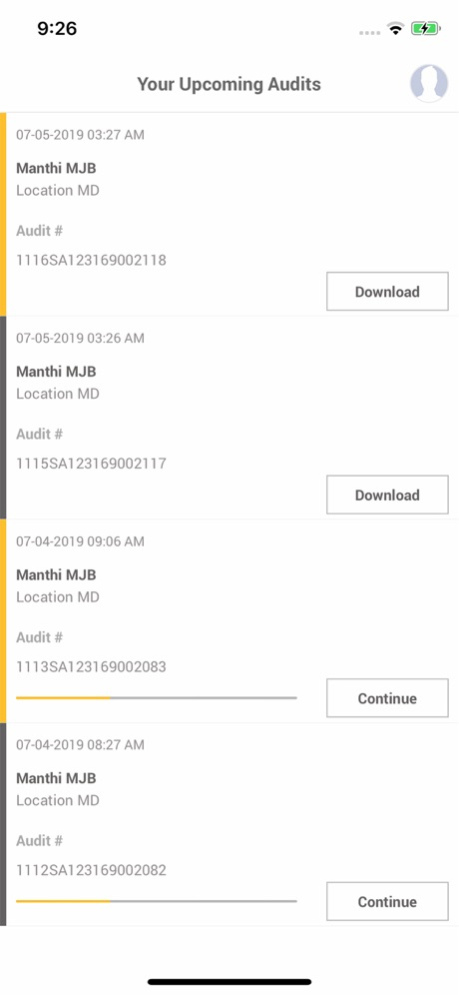
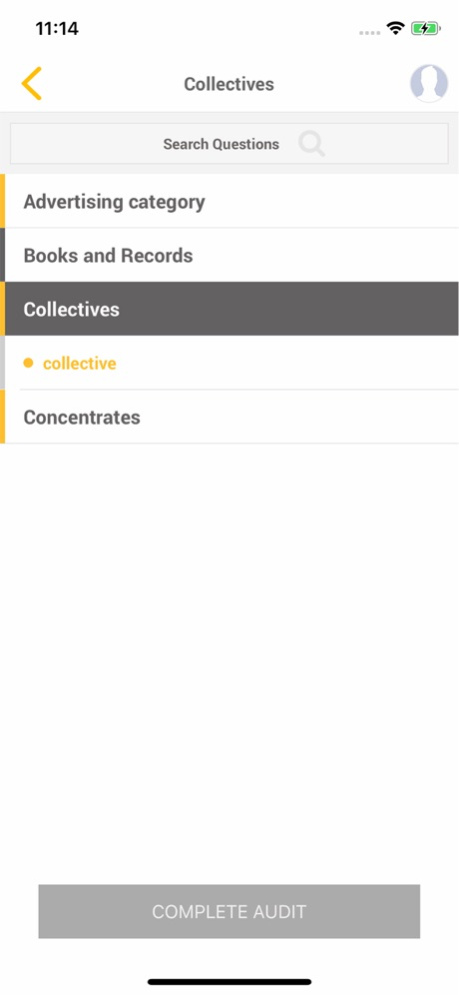
Simplifya's app allows you to easily conduct audits. Log in using your Simplifya account credentials and you’ll see all of the outstanding audits currently assigned to you. Tap the audit you wish to complete and start auditing! You can safely start and stop audits without losing any data, conduct audits without a wifi or cellular connection, and easily add notes and pictures to audit questions.
Terms of Service:
http://simplifya.com/terms-of-service
Version History This release includes a fix that some security related updats. 6.1.11 11/28/2024 This release includes a fix that allows iPhone users to move the keyboard so they can save the notes they’ve added to an audit question. 6.1.10 07/13/2023 Minor bug fixes. 6.1.8 07/07/2023 Crashing issue fixes for condensed view 6.1.7 05/15/2023 The build contains real-time configuration syncing process to avoid issues that may arise during use. 6.1.6 04/25/2023 We've added single sign-on (SSO) to the iOS app. 6.1.5 04/11/2023 Minor bug fixes and improvements. 6.1.4 03/24/2023 This release includes an update for the new “Lock Audit” feature, which prohibits the auditor from working on an assigned audit after the due date passes. 6.1.3 03/06/2023 This issue includes a fix for a login issue some users were experiencing. 6.1.0 02/20/2023 This issue includes a fix for a login issue some users were experiencing. 6.0.8 12/13/2022 This version contains a bug fix for images not attaching to audit questions properly. 6.0.7 10/30/2022 HEIC File uploading issue fixes. 6.0.6 08/15/2022 Major Security optimisation. 6.0.5 06/13/2022 This update contains some small design improvements. 6.0.4 12/10/2021 This update contains bug fixes. 6.0.3 12/01/2021 This update includes bug fixes. 6.0.2 11/16/2021 Simplifya now lets you seamlessly login to all of your accounts with a single email. Save yourself time and knock down the barriers of managing compliance for multiple companies.
With this release, you can:
- Use a single email across all of your companies
- Add users across multiple companies
- Assign users different roles at each company
This release is the mobile component of release 2.4.0 of the Simplifya web app. 6.0.1 07/19/2021 Google SDK Updates 5.0.5 05/03/2021 Google API Updates and minor bug fixes. 5.0.4 03/22/2021 This update includes some minor bug fixes and also includes some enhancements that will make it easier to navigate the app. 5.0.3 07/24/2020 Introducing Simplifya’s audit refactor, including:
- A condensed audit view for quicker answering
- The ability to mute audit questions
- Real-time data syncing between mobile and web platforms 5.0.2 05/27/2020 We fixed an issue pertaining to audit times for iPhone 8 users with iOS 13. 4.0.2 01/09/2020 We've added the version number to the Sign In screen and under the "Logout" button. This release also includes a few minor bug fixes. 4.0.1 12/14/2019 We've added a small design improvement that makes it more apparent you can scroll down on our longer audit questions. 3.0.4 10/21/2019 Miscellaneous bug fixes 3.0.3 10/01/2019
About Simplifya
The company that develops Simplifya is Ceylon Solutions, LLC. The latest version released by its developer is 6.1.11.
To install Simplifya on your iOS device, just click the green Continue To App button above to start the installation process. The app is listed on our website since 2026-10-14 and was downloaded 0 times. We have already checked if the download link is safe, however for your own protection we recommend that you scan the downloaded app with your antivirus. Your antivirus may detect the Simplifya as malware if the download link is broken.
How to install Simplifya on your iOS device:
- Click on the Continue To App button on our website. This will redirect you to the App Store.
- Once the Simplifya is shown in the iTunes listing of your iOS device, you can start its download and installation. Tap on the GET button to the right of the app to start downloading it.
- If you are not logged-in the iOS appstore app, you'll be prompted for your your Apple ID and/or password.
- After Simplifya is downloaded, you'll see an INSTALL button to the right. Tap on it to start the actual installation of the iOS app.
- Once installation is finished you can tap on the OPEN button to start it. Its icon will also be added to your device home screen.
Program Details
System requirements
Download information
Pricing
Version History
version 6.1.11
posted on 2026-10-14
Version History This release includes a fix that some security related updats. 6.1.11 11/28/2024 This release includes a fix that allows iPhone users to move the keyboard so they can save the notes they’ve added to an audit question. 6.1.10 07/13/2023 Minor bug fixes. 6.1.8 07/07/2023 Crashing issue fixes for condensed view 6.1.7 05/15/2023 The build contains real-time configuration syncing process to avoid issues that may arise during use. 6.1.6 04/25/2023 We've added single sign-on (SSO) to the iOS app. 6.1.5 04/11/2023 Minor bug fixes and improvements. 6.1.4 03/24/2023 This release includes an update for the new “Lock Audit” feature, which prohibits the auditor from working on an assigned audit after the due date passes. 6.1.3 03/06/2023 This issue includes a fix for a login issue some users were experiencing. 6.1.0 02/20/2023 This issue includes a fix for a login issue some users were experiencing. 6.0.8 12/13/2022 This version contains a bug fix for images not attaching to audit questions properly. 6.0.7 10/30/2022 HEIC File uploading issue fixes. 6.0.6 08/15/2022 Major Security optimisation. 6.0.5 06/13/2022 This update contains some small design improvements. 6.0.4 12/10/2021 This update contains bug fixes. 6.0.3 12/01/2021 This update includes bug fixes. 6.0.2 11/16/2021 Simplifya now lets you seamlessly login to all of your accounts with a single email. Save yourself time and knock down the barriers of managing compliance for multiple companies.
With this release, you can:
- Use a single email across all of your companies
- Add users across multiple companies
- Assign users different roles at each company
This release is the mobile component of release 2.4.0 of the Simplifya web app. 6.0.1 07/19/2021 Google SDK Updates 5.0.5 05/03/2021 Google API Updates and minor bug fixes. 5.0.4 03/22/2021 This update includes some minor bug fixes and also includes some enhancements that will make it easier to navigate the app. 5.0.3 07/24/2020 Introducing Simplifya’s audit refactor, including:
- A condensed audit view for quicker answering
- The ability to mute audit questions
- Real-time data syncing between mobile and web platforms 5.0.2 05/27/2020 We fixed an issue pertaining to audit times for iPhone 8 users with iOS 13. 4.0.2 01/09/2020 We've added the version number to the Sign In screen and under the "Logout" button. This release also includes a few minor bug fixes. 4.0.1 12/14/2019 We've added a small design improvement that makes it more apparent you can scroll down on our longer audit questions. 3.0.4 10/21/2019 Miscellaneous bug fixes 3.0.3 10/01/2019
version 6.1.11
posted on 2024-11-28
Nov 28, 2024
Version 6.1.11
This release includes a fix that some security related updats.
version 6.1.11
posted on 2024-11-28
This release includes a fix that some security related updats.
version 6.1.10
posted on 2023-07-13
Jul 13, 2023
Version 6.1.10
This release includes a fix that allows iPhone users to move the keyboard so they can save the notes they’ve added to an audit question.
Disclaimer
Official App Store Link
We do not host Simplifya on our servers. We did not scan it for viruses, adware, spyware or other type of malware. This app is hosted by Apple and passed their terms and conditions to be listed there. We recommend caution when installing it.
The App Store link for Simplifya is provided to you by apps112.com without any warranties, representations or guarantees of any kind, so access it at your own risk.
If you have questions regarding this particular app contact the publisher directly. For questions about the functionalities of apps112.com contact us.
